What Women Should Check Before Booking an App-Based Cab
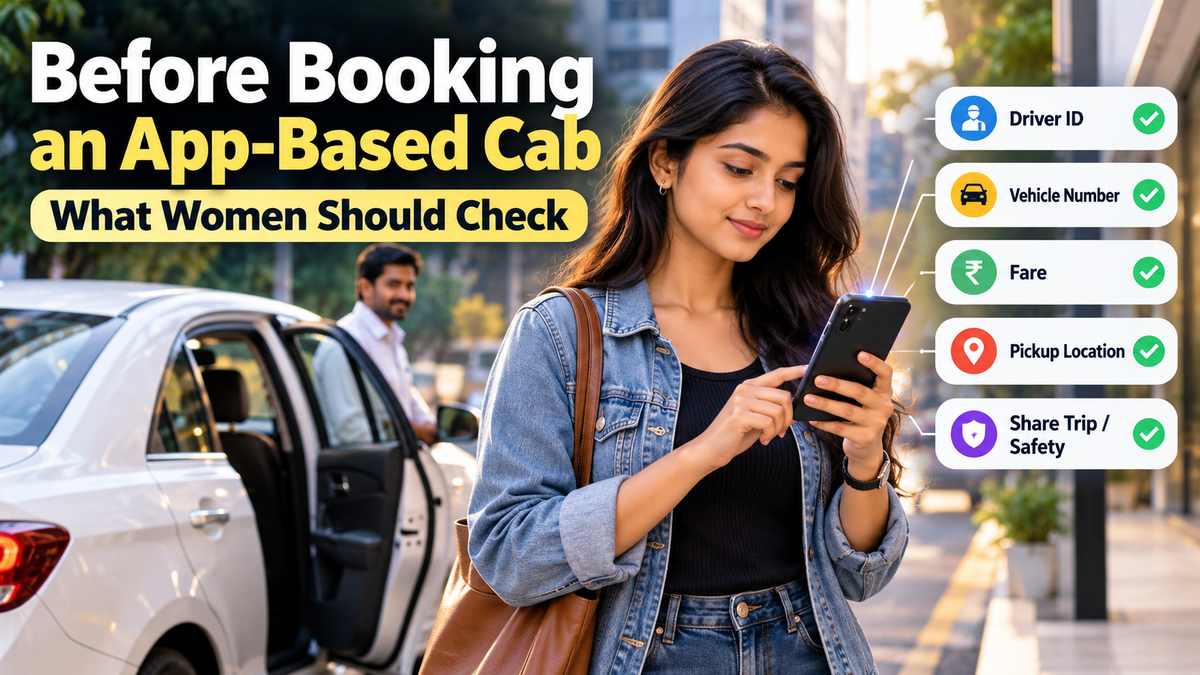
What women should check before an app-based cab ride: driver and vehicle details, safety tools, route monitoring, emergency help and complaints.
✦ Key Takeaways
- ✓Match the driver’s name and photo and the vehicle registration, make and colour with the app before boarding.
- ✓Check available trip-sharing, SOS and support options; monitor the route and question unexpected detours or stops.
- ✓Call 112 for urgent help in India. Save the booking ID, vehicle details, messages and screenshots when safe.
- ✓NCW safety measures are recommendations; implementation and available features vary by service and location.
A cab booking can feel routine: enter a destination, check the fare and wait for the driver. But the details on the screen matter. If the car or driver who arrives does not match the booking, that is a reason to stop and check—not a small inconvenience to ignore.
The National Commission for Women (NCW) has issued safety guidelines for women using app-based and digital transport services, including cabs, autos and bike taxis. The guidelines cover the journey from booking through drop-off and complaint handling. The NCW has asked states and Union Territories to take steps towards implementation, so passengers should not assume that every recommended feature is already available on every platform. (AckoDrive’s report, News on AIR)
Before you get in
Check the vehicle and driver against the app. Compare the registration number, make and colour of the vehicle, and the driver’s photo and name. If something does not match, don’t get in. The NCW guidelines recommend that passengers be able to cancel without a fee in this situation.
Don’t share your booking details with someone who simply asks for your name. Ask the driver to confirm the passenger or destination details shown in the app. This helps avoid getting into the wrong vehicle.
Check the safety options before the trip, if the app has them. Look for a way to share the ride with someone you trust, an SOS or emergency option, and a support contact. Features vary between services, so check what is actually available in your app.
During the ride
Keep the trip visible on your phone and follow the route shown in the app. A detour may have a reasonable explanation—traffic, a road closure or a navigation error—but if the route changes unexpectedly, ask the driver why and check the map. The NCW guidelines call for platforms to detect significant route deviations and unusual or prolonged stops and alert the passenger and the service.
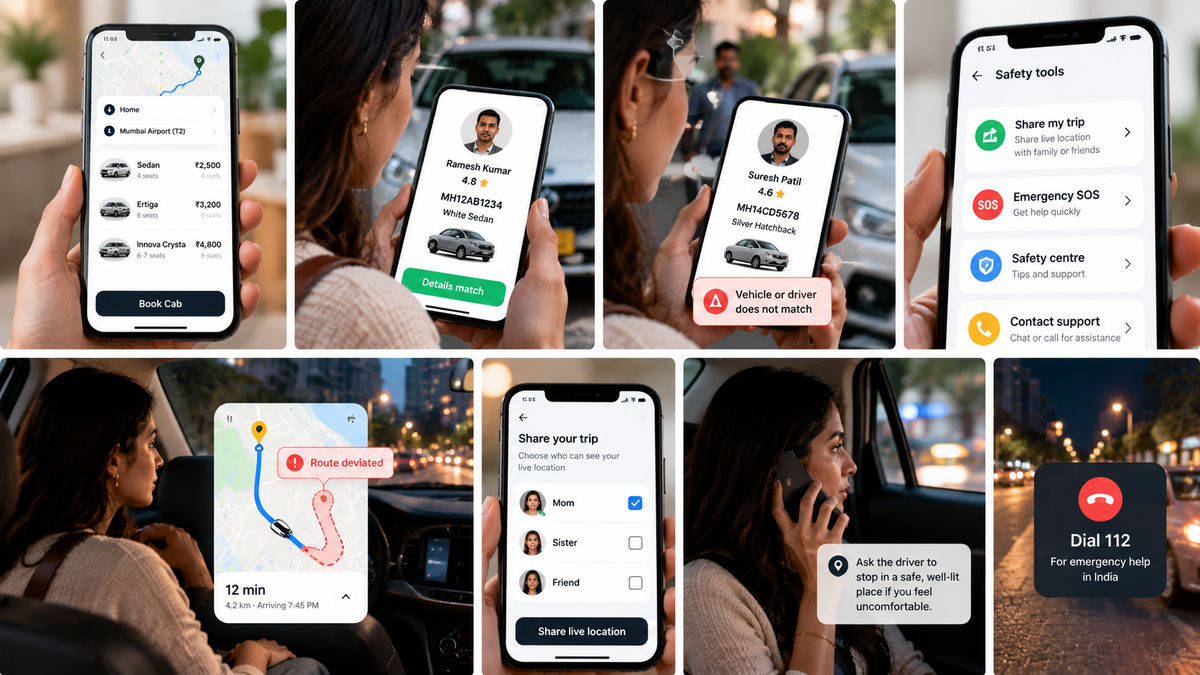
If you feel uncomfortable, call someone you trust and share your live location if possible. You can ask the driver to stop in a well-lit, populated place. You do not need to wait until you are certain that something is wrong before taking a concern seriously.
For late-night trips, the NCW recommends stronger driver verification and monitoring. Its suggested measures include confirming the driver’s photo when the trip begins, sharing trip details with a trusted contact if the passenger opts in, and offering a safe-drop option.
Quick check: Right driver. Right vehicle. Trip shared, if you want to share it. Route visible. If any detail feels wrong, pause before continuing.
If there is an emergency
In India, 112 is the pan-India emergency number. The Government’s Emergency Response Support System says people can call 112 or use the 112 India app to request emergency help. The app also has a SHOUT feature for women and children that alerts nearby registered volunteers as well as the Emergency Response Centre. Use emergency services when you need urgent help; don’t use them just to test the system.
If it is safe to do so, note the vehicle registration number, driver details, time, route and booking ID. Save relevant messages and screenshots. These details can help when reporting an incident to the platform or authorities.
What should happen after a safety complaint?
The NCW guidelines recommend a time-bound complaint process, including acknowledgement within two hours and resolution within 72 hours. They also call for complaints that require police action to be escalated to law enforcement, and for relevant electronic records to be preserved for at least 180 days, subject to applicable law. These are recommendations in the NCW guidelines; the process and features available to you may vary by service and location. (AckoDrive’s report)
When reporting a concern, describe what happened in order and include the trip details you have. If there is immediate danger or a possible offence, contact emergency services or the police as appropriate; an in-app complaint should not delay urgent help.
Safety is a shared responsibility
Passengers can check details and use available safety tools, but they cannot verify a driver’s background or monitor a platform’s control room. The NCW’s recommendations place responsibilities on transport authorities and mobility operators too, including driver checks, practical safety training, emergency response and coordination with police. The Ministry of Road Transport and Highways’ Motor Vehicle Aggregator Guidelines, 2025 provide a broader framework for state governments to regulate aggregators.
That distinction matters: a safety checklist can help someone make a decision in the moment, but it is not a substitute for reliable systems and timely action by the organisations responsible for the ride.
Frequently asked questions
Frequently Asked Questions
What if the driver or car does not match the app?+
Do not get into the vehicle. Contact the service through its app or support channel and report the mismatch. The NCW guidelines recommend penalty-free cancellation when the driver or vehicle differs from the booking details.
Should I share my ride with someone?+
If the app offers trip sharing, you can choose to send the ride details or live location to someone you trust. The NCW guidelines describe automatic sharing as an opt-in measure; check the app’s settings and privacy information.
What number should I call for urgent help in India?+
Call 112 for emergency assistance. You can also use the Government’s 112 India app (https://112.gov.in/112-india-app). For women and children, the app’s SHOUT feature can alert nearby registered volunteers and the Emergency Response Centre.
Are the NCW recommendations already available in every cab app?+
Not necessarily. The NCW has asked states and Union Territories to take appropriate implementation measures. The presence and operation of particular features can differ by platform and area. Check the app itself rather than assuming a feature is available.
This article is general travel-safety information, not a guarantee that any particular cab service offers the features described. Check your chosen service’s current safety options before travelling.